Personal projects
Almost all of them start the same way. I belong to something, a faculty, an association, a group of friends on a student budget, and that something is missing a tool. They tend to be simple, they cost nothing a month, and they serve one specific group of people.
Five of them have their own backend and can hold real people’s data, so I show them but do not link them. They are not broken and they are not in private beta.
For the university
- 01 Faculty of Science timetables 2026–
An alternative viewer for the Faculty timetables. It lets you cross subjects from different degrees and years, filter subgroups and export the result to a calendar. The university server speaks only HTTP and sends no CORS headers, so a page served over HTTPS cannot query it: a GitHub Action does that every six hours, normalises the response and commits the JSON. The git history ends up being, without anyone intending it, the change log of the academic year. I built it in conversation with the person who maintains the official page, so it is a consented upgrade rather than a protest.
Fig. 1 The detour needed for a page served over HTTPS to read a server that speaks only HTTP. - 02 Double-degree planner 2026
A five-year grid where you drag subjects around until the plan works. It knows the whole Physics and Mathematics catalogue, applies the recognition rules between the two degrees, and warns when a semester goes over 30 ECTS or a year over 72. I made it to help the joint committee reconcile the two new study plans.
Which subjects sit where, and how many credits they carry, keeps moving: both study plans are mid-reform, and I have yet to add the customisation layer that would make it fully useful. For now it works as a prototype, or as something to play with if you are not in the university administration.
- 03 Expense splitting 2026
For the student delegation. Part of it is paid by the vice-dean’s office and part by the vice-rectorate, usually following a set proportion, but you cannot simply divide the expenses and be done: it has to be squared against the money that is actually there. The page takes care of that.
- 04 Randomised exam generator 2026
A desktop program that assembles different exams from a question bank, so that two people sitting together do not get the same one. I made it for a friend who teaches.
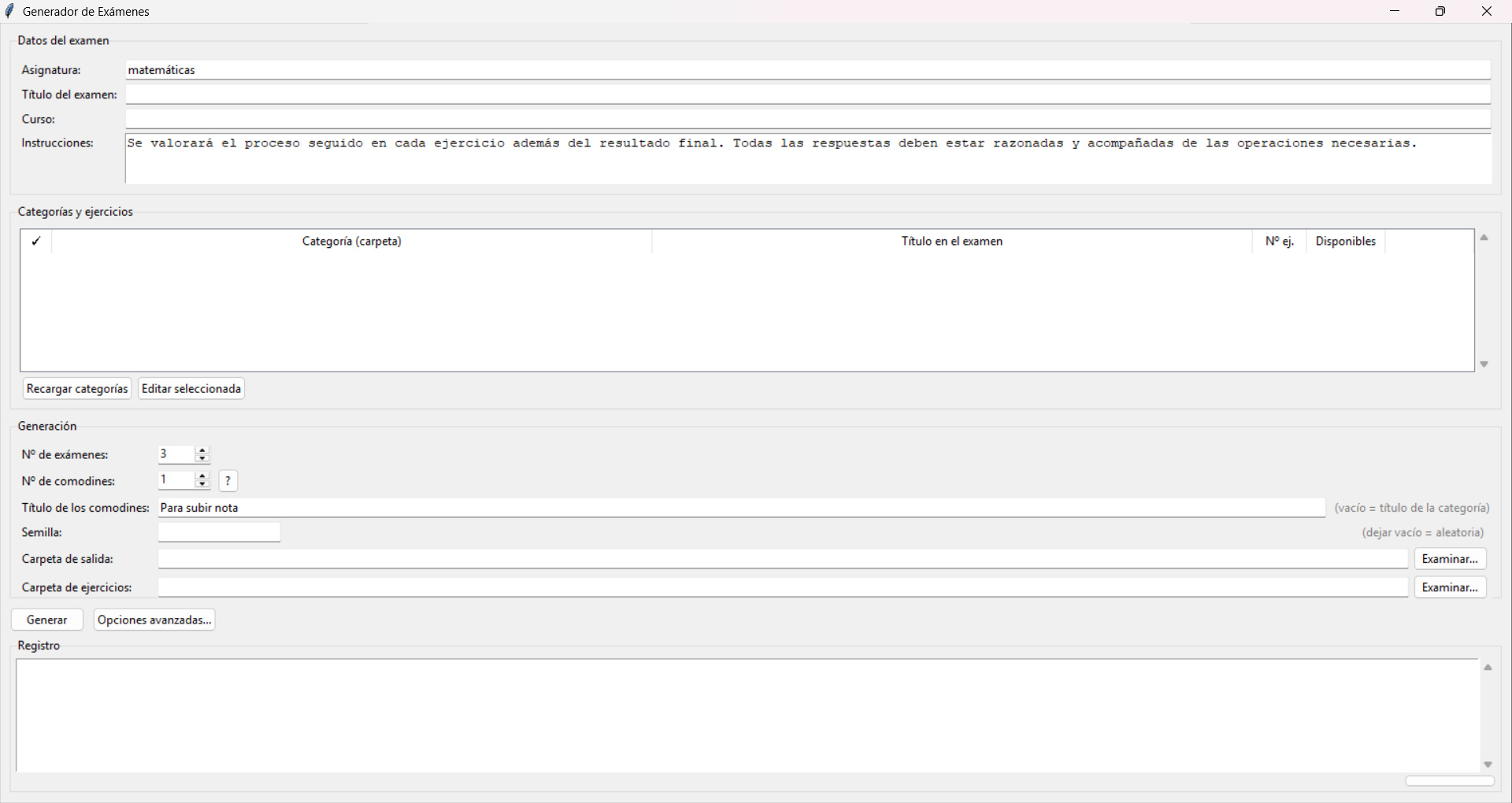
Fig. 2 The generator window before a question bank is loaded. The seed decides whether a batch can be reproduced exactly or whether every run comes out different. - 05 Music bingo with identifiable cards 2026
For a delegation event. Each card carries an identifier that is not a serial number: it is the product of the primes assigned to the songs it contains. Factorising it returns the whole card, so a claimed bingo can be checked without storing anywhere which cards were printed. The database is the number itself.
Fig. 3 The identifier scheme: one prime per song, and the card is their product. 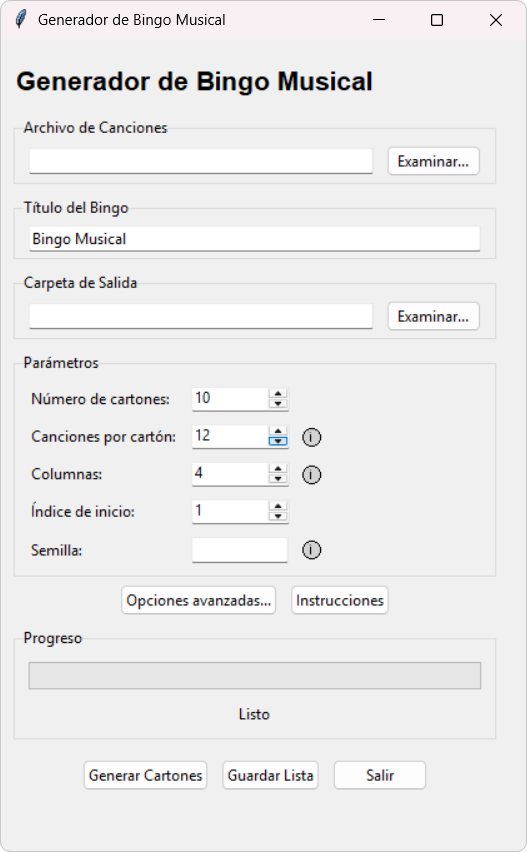
Fig. 4 The card generator: how many cards, how many songs each, and a seed so the exact same batch can be produced again.
For associations and events
- 06 Event check-in 2023–2026
Several people at different doors taking attendance at the same time from their own phones, against one record that updates itself. The problem is not the list, it is making sure two people do not mark the same person and that nobody has to reconcile anything afterwards. It started at the XXIV ENEM on Google Apps Script, and this version rebuilds it from scratch. The whole list is stored on the device, so searching and checking people in stay instant even when the venue has no reception, and the records send themselves once it comes back. Nothing is ever marked as “arrived”: each entry is an immutable row with its timestamp, which is where the time slots you can invent after the event come from, along with an offline queue that can be re-sent without double-counting anybody. Cloudflare’s free plan allows 10 ms of CPU per request, less than a password hash worth the name costs, so the browser does that work and the server only sees the result. The QR holds a random code and never the identity document, because a badge on a lanyard is readable by every phone in the room.
If two doors lose connection at the same time, both can admit the same person. No client-side design prevents that, so the server spots the overlap when the devices sync and surfaces it as an issue rather than silently picking a winner.
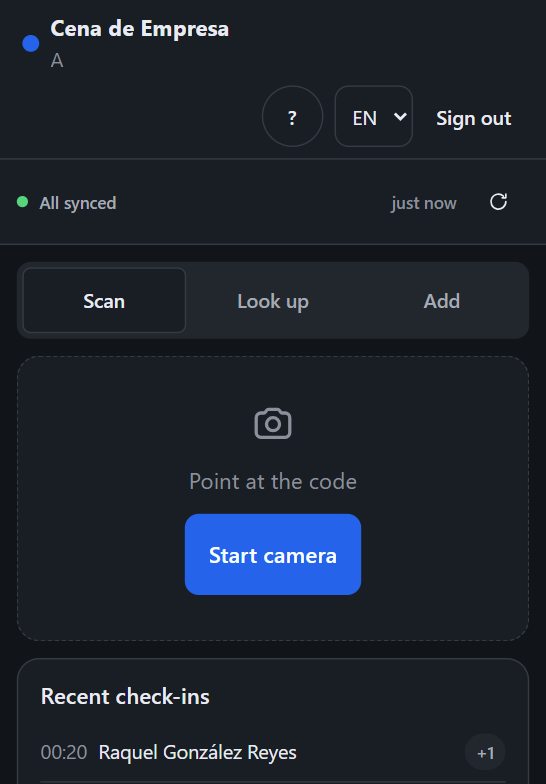
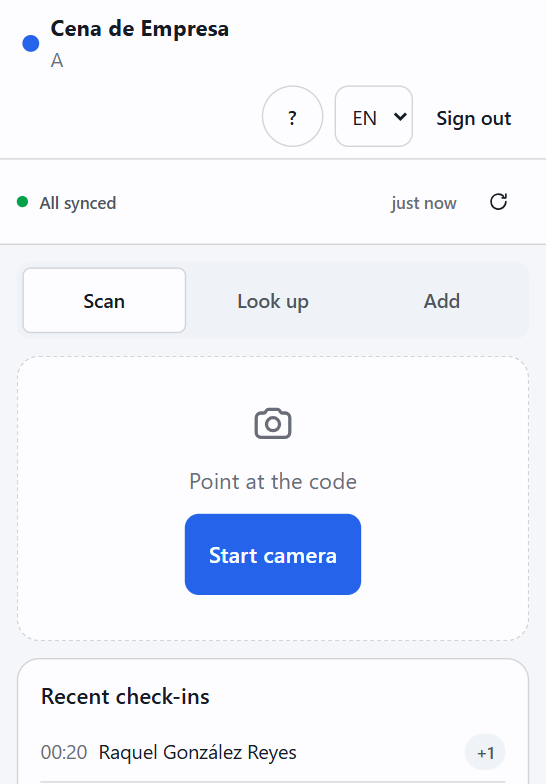
Fig. 5 What the person on the door sees: scan, search by name, or add somebody who was not on the list. At the top, whether what has been recorded has reached the server or is still waiting on the phone. 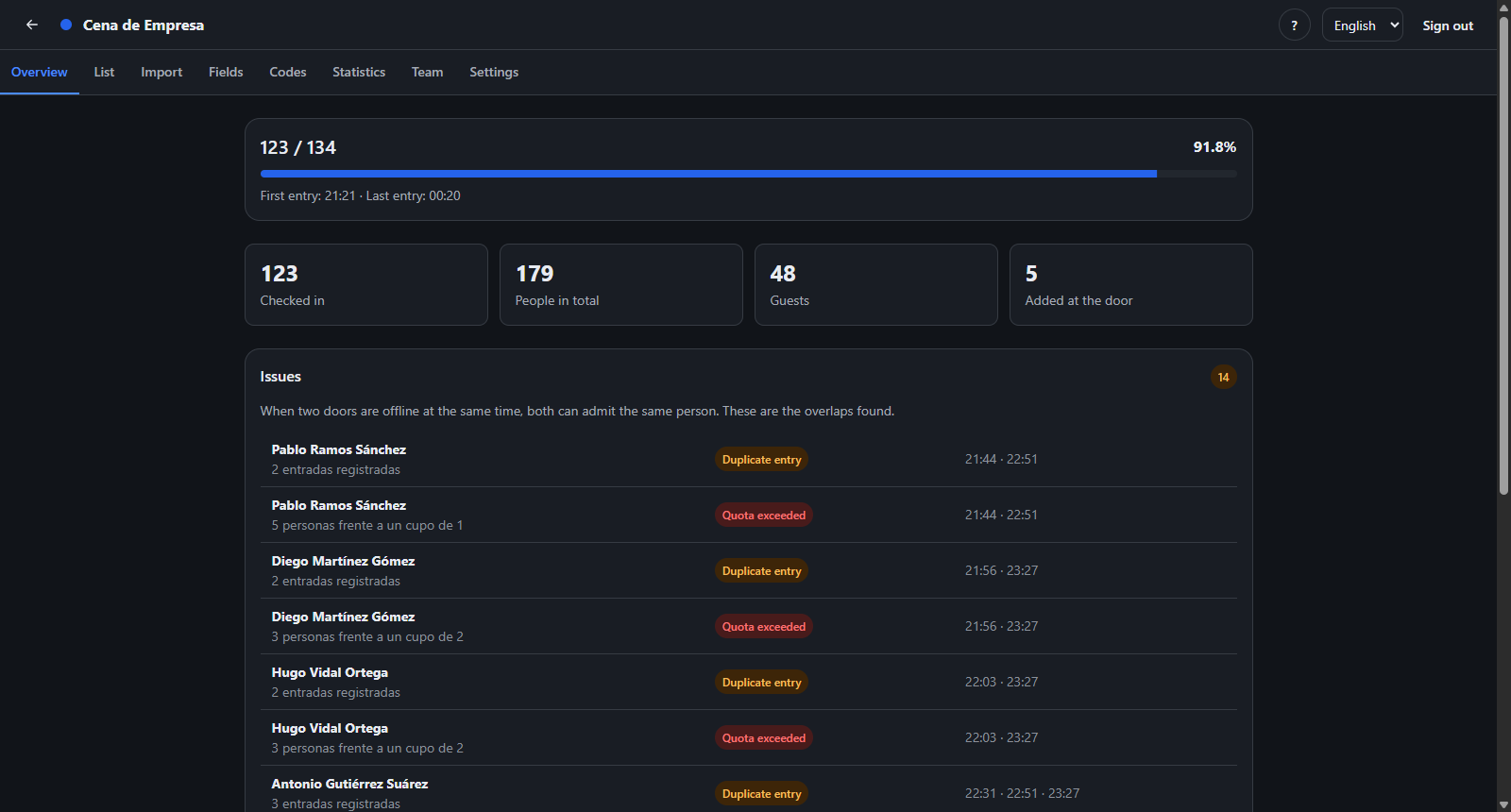
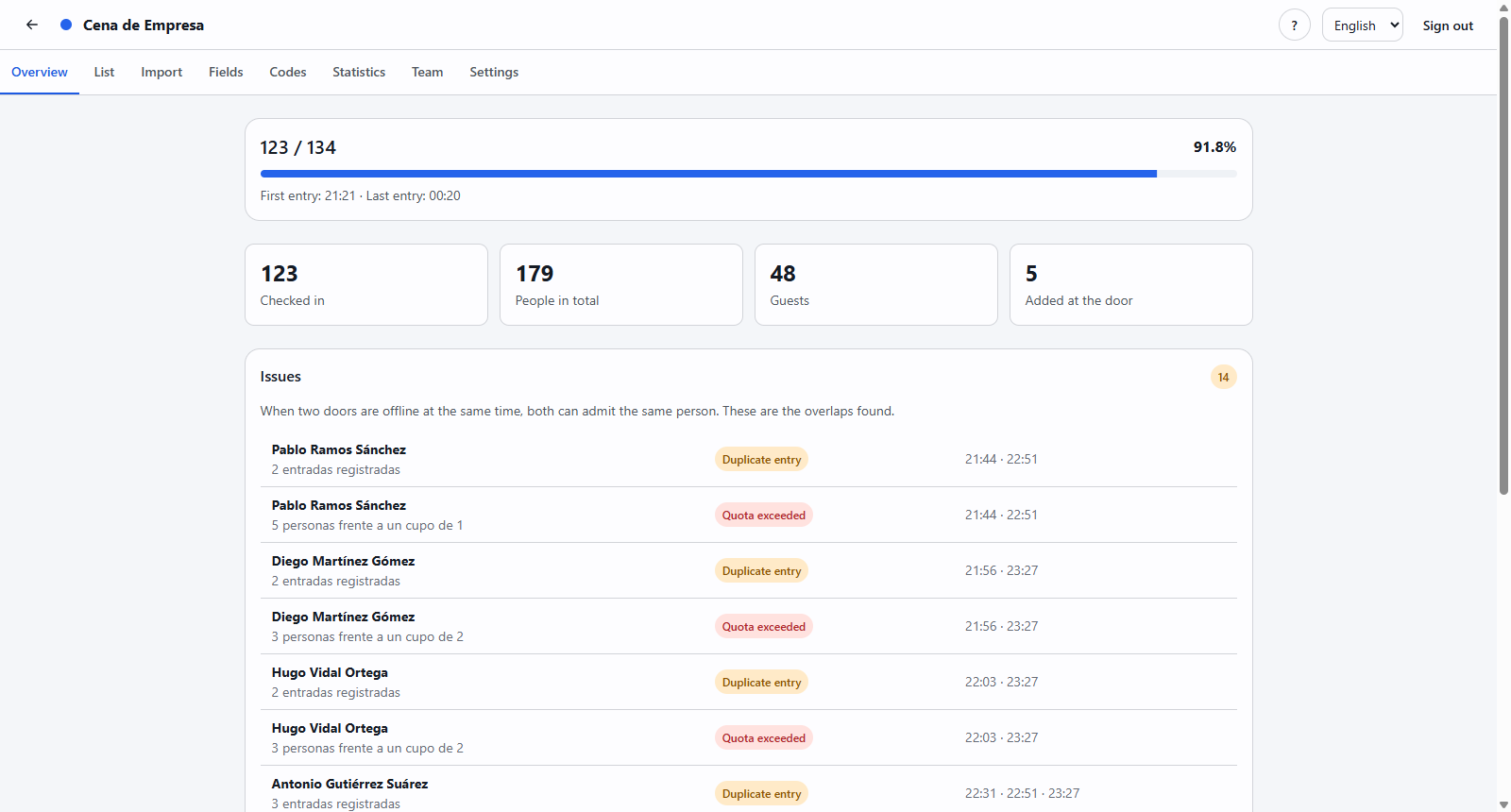
Fig. 6 The organiser summary, with invented data. Overlaps between doors are not resolved on their own: they appear here, with both timestamps, for somebody to decide. - 07 cajut, live quizzes 2026
A self-hostable Kahoot, built for about twenty people in a room with bad reception. Each room is a Cloudflare Durable Object with its own database, which avoids coordinating state between servers and keeps everything inside the free tier. Participants write the questions themselves during the preceding week, and whoever submits a question does not score on it. It sleeps when nobody is there and wakes when somebody comes back.
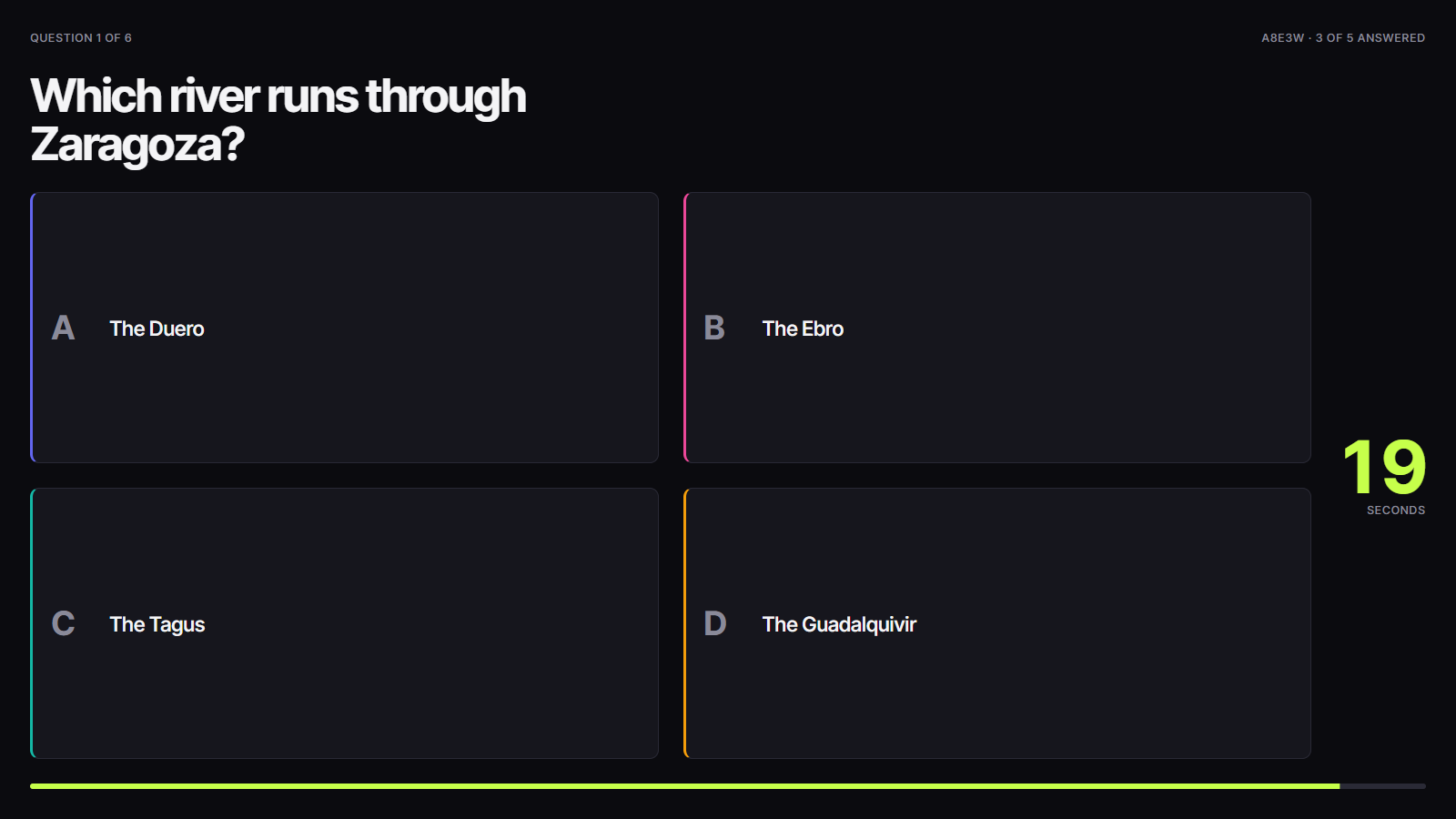
Fig. 7 The projected wall during a question in the example room: the prompt, the four answers, the seconds left and how many have answered, without saying who or what. I do not link the deployed instance because it can hold real people’s data. - 08 Letter box for student meetings 2026
People write a card for somebody else at the meeting, an organiser moderates it, and approved cards reach the coordinator’s Telegram, who hands them over in person. The bot never messages the recipient. It replaced a Google Form that left every answer in a shared spreadsheet.
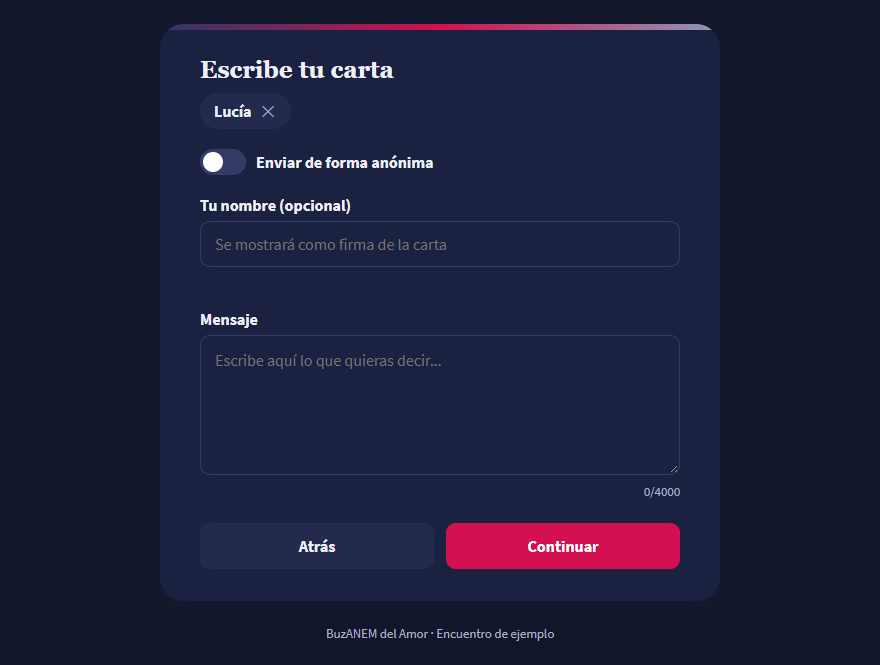
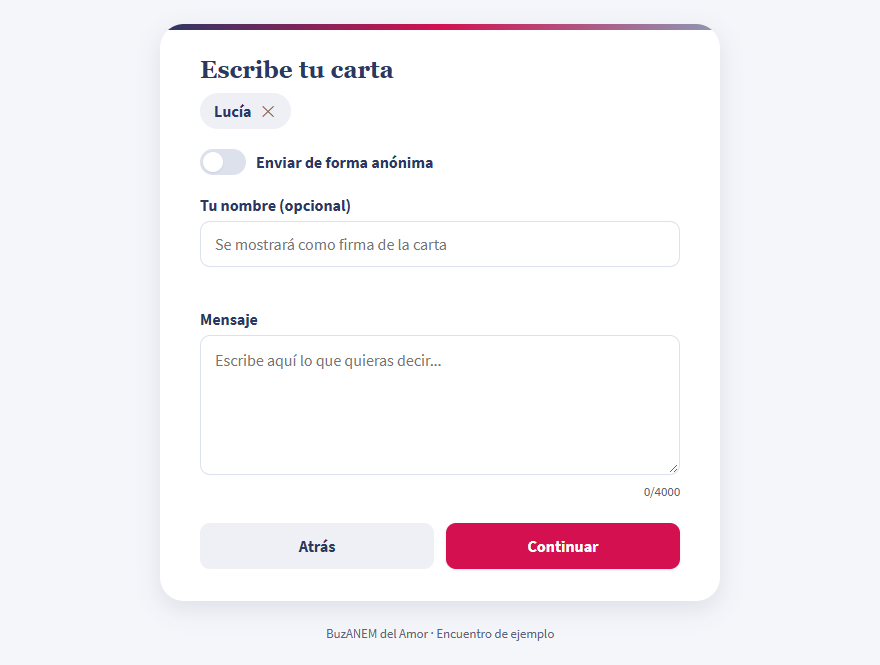
Fig. 8 The compose form, empty. You pick a recipient and decide whether the card is signed. - 09 Assembly moderation tool 2025
It tracks attendance per session, computes quorum live, checks that the required officers are present, manages the speaking queue, and resolves votes with different majorities inside a single agenda item. When it ends it exports the record of interventions, which is half the work of writing the minutes.
- 10 Private room lookup 2023
Also for the XXIV ENEM. Each attendee looked up their room by identifying themselves with their national ID, and saw exactly one row: their own. The interesting part is not the lookup but the constraint, which is to return a single record without revealing anything around it, neither the full allocation nor who else is sharing with whom.
For me and mine
- 11 Fractal class photo frame 2026
The tools for designing the class photo, the orla, for my Mathematics and Physics classmates. It is two pages. The first is a gallery of fractal frames: 33 border bands that tile seamlessly and 22 corners, exported at 6804 × 4694 px with the photo window left transparent. The second is a 3D viewer of strange attractors for the centre image: 25 systems integrated with RK4 in a Web Worker, and every view lives in the link, so copying it is enough to reopen it exactly. No system reaches the viewer without first passing a script that integrates it and checks that it neither diverges nor settles on a fixed point. What that script cannot see is a miscopied equation that is still chaotic: Sprott B had a parameter in the wrong equation, and drew a perfectly reasonable attractor that was not its own.
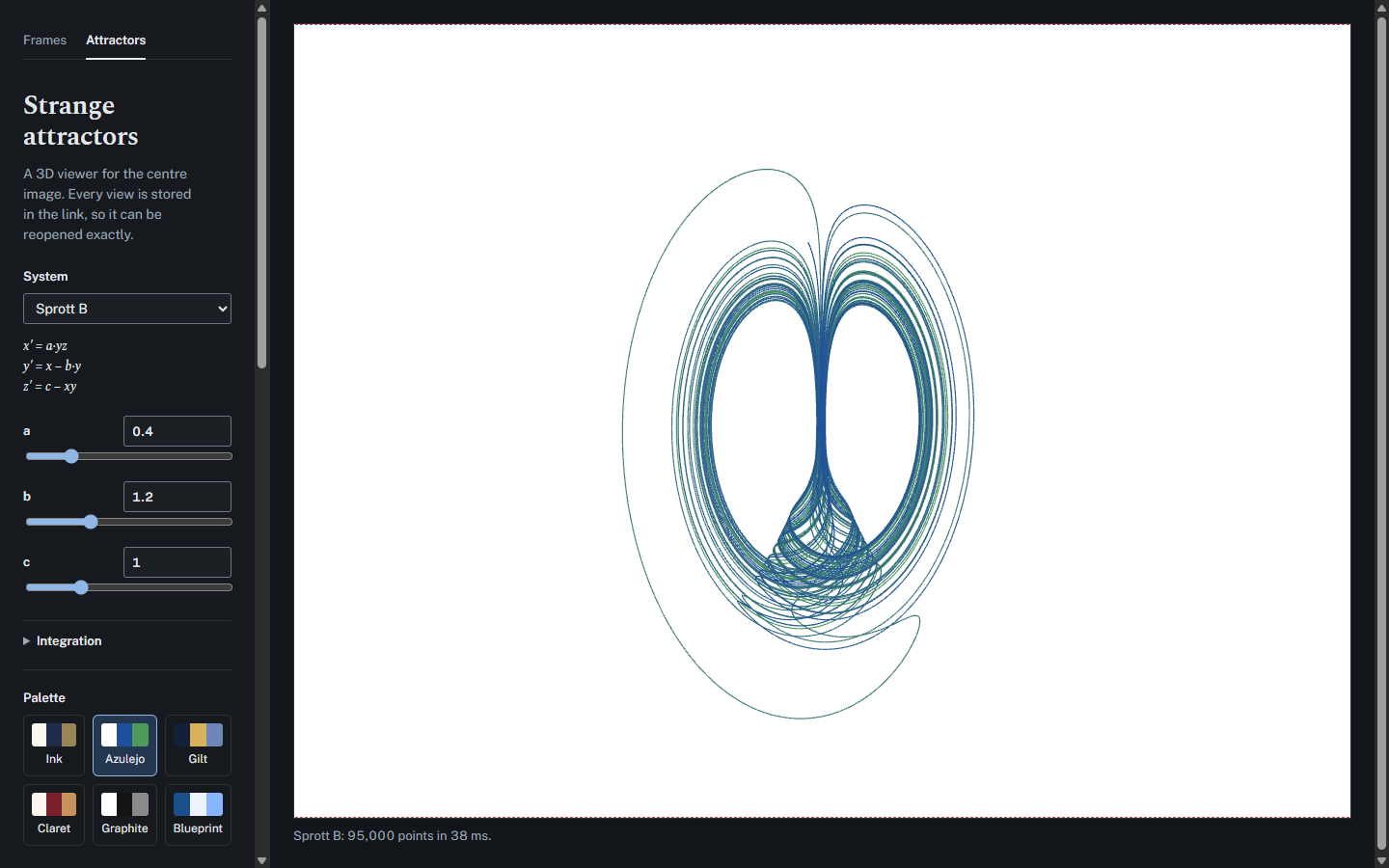
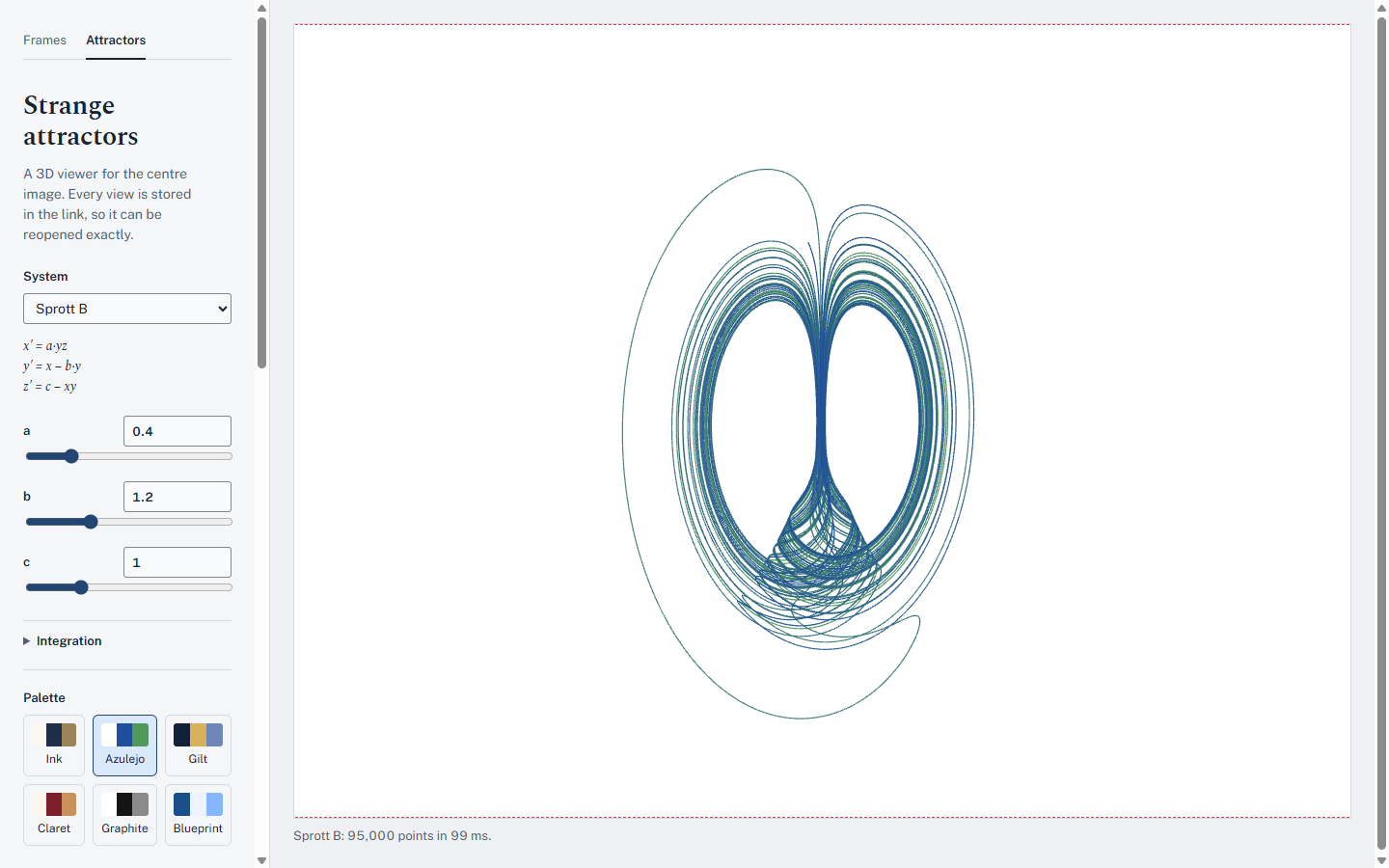
Fig. 9 The attractor viewer on Sprott B at its defaults: the equations and parameters on the left, the image as it would be exported on the right. - 12 Home base, a personal dashboard 2026
A dashboard for the laptop, the phone and a screen that stays on at my desk: agenda, both mailboxes, tasks, expenses, countdowns and the weather, at a glance. It has three rules: it costs €0, nobody else can read it, and it never writes to the services it reads. The third one decides the details. It asks Google only for read permissions, and in Gmail only for headers, never the body of a message; with that permission Google does not allow searching, so the inbox is filtered by labels instead. Cloudflare Access sits in front, and even so the Worker checks the signature on every request and, if any configuration is missing, shuts everything rather than opening it. The fixed screen dims after sunset and shifts its content a few pixels every ten minutes so the monitor does not burn in.
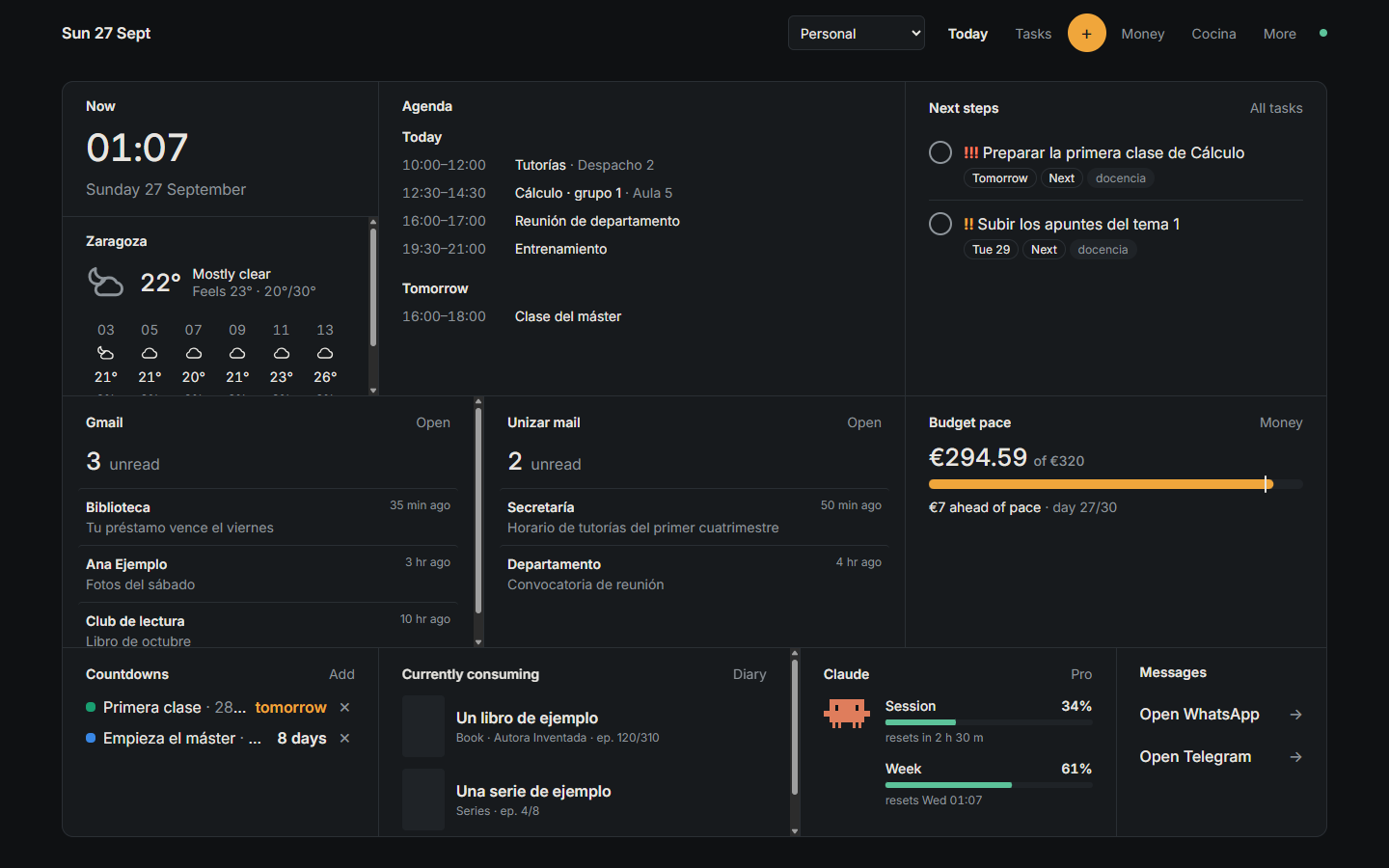
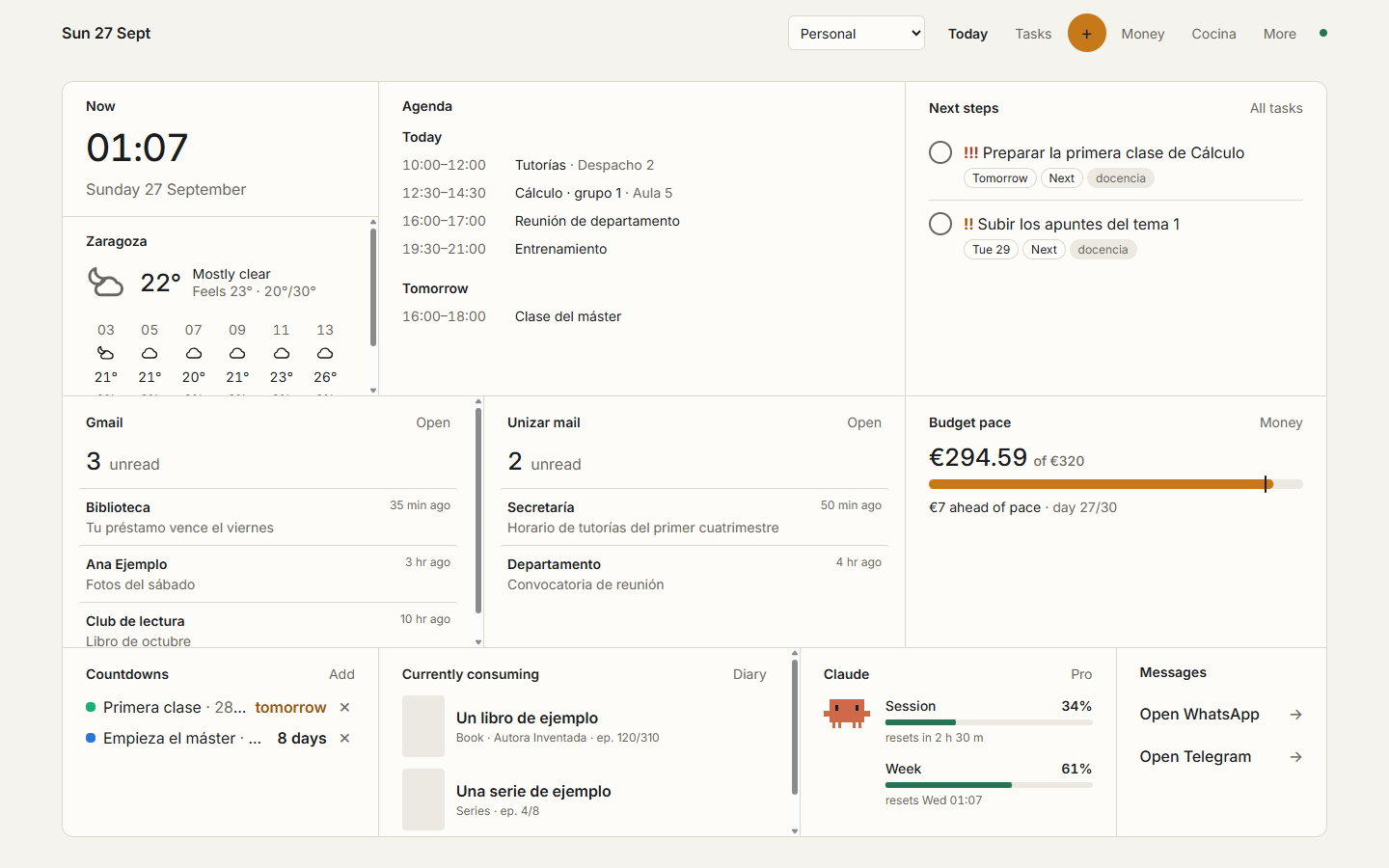
Fig. 10 The today screen on a laptop, with invented data throughout: agenda, both mailboxes, tasks, the month’s budget and countdowns. - 13 Slide presenter 2026
The speaker view a PDF does not come with: current and next slide, notes, a stopwatch with a target per slide, splits, and a separate window for the projector. I made it to rehearse my thesis defence and then generalised it to any PDF. The hard part is that a beamer PDF does not know what a slide is: every \pause is one more page. So it groups them by reading the page labels, detects section pages and hands their time to the next slide, and recognises the appendix because the numbering starts over. If the deck is compiled with beamer notes, it reads them from the PDF itself, time targets included, and never sends them to the audience window. The PDF never leaves the browser, and there is a version in a single HTML file that works offline.
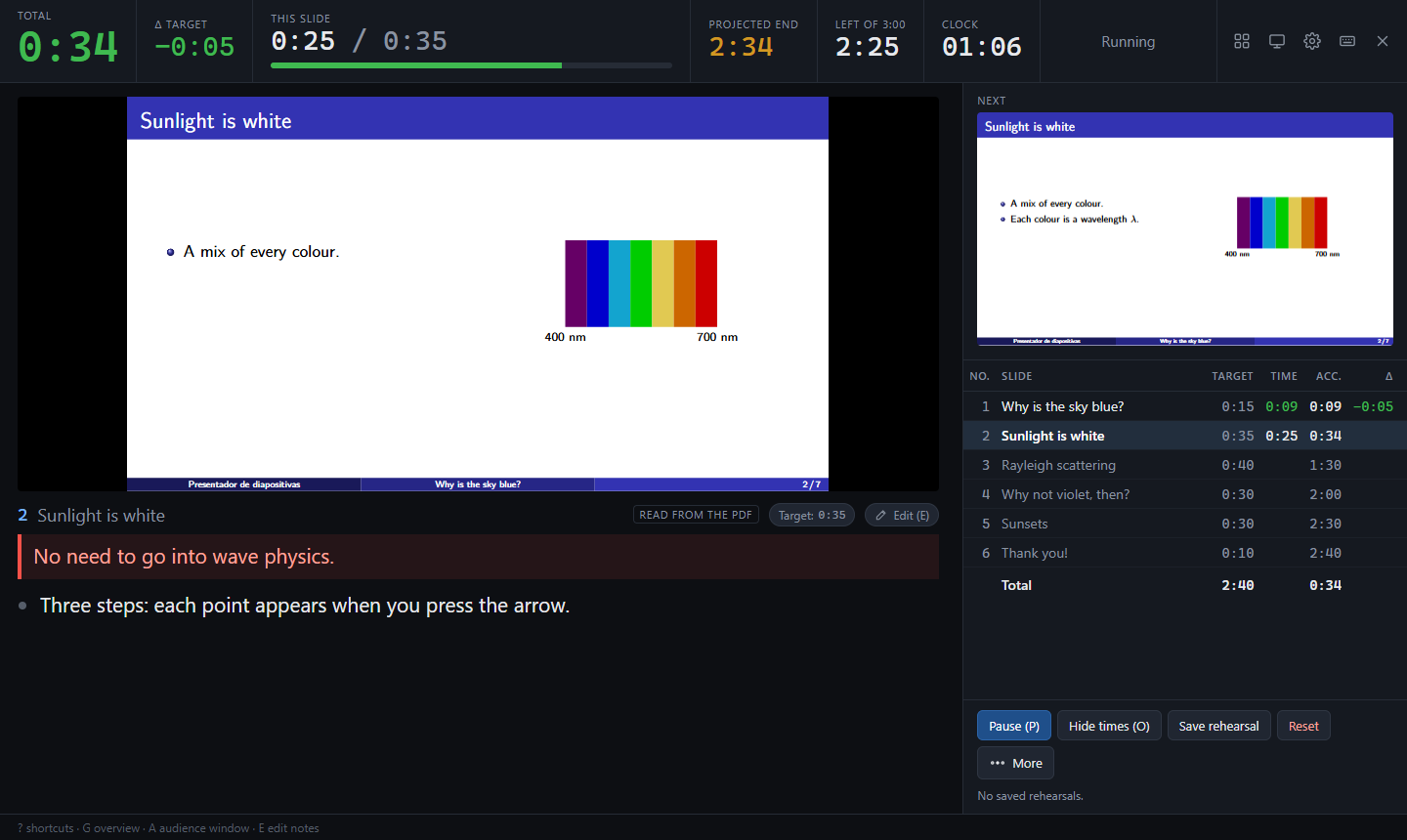
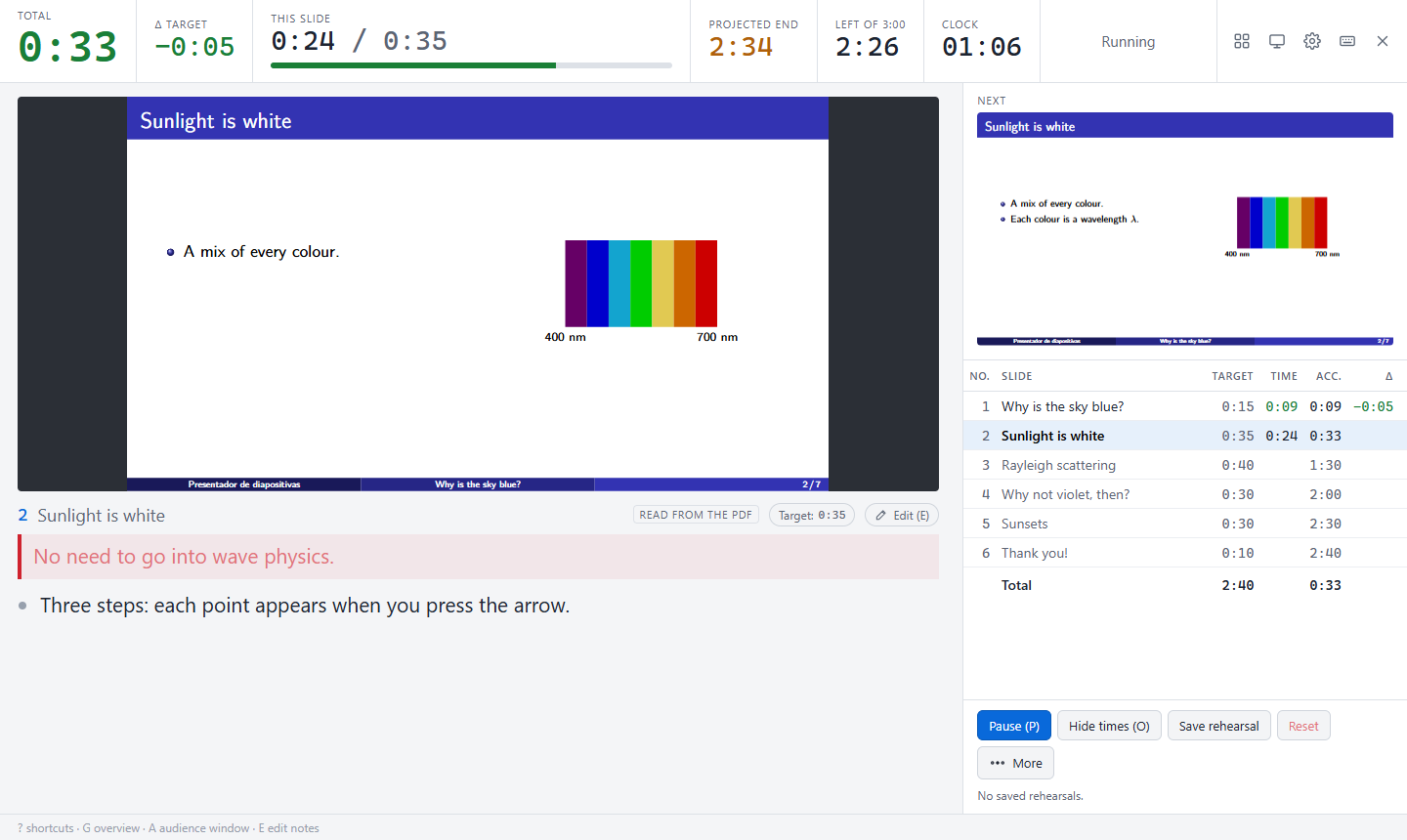
Fig. 11 The speaker view on the sky example: the stopwatch against each slide’s target, the notes read from the PDF and, on the right, what comes next. Here that is the same slide with one more bullet, because its overlays count as one. - 14 Holiday organiser 2026
Shared expenses for group trips. It existed before as a spreadsheet with Apps Script behind it, and I rewrote it for three reasons: it was slow, the URL was unpresentable, and every visit opened with a Google banner saying the page had been made by a user, which you had to dismiss by hand. I am fairly perfectionist and I put up with that banner for longer than was reasonable. While I was at it I folded in the final step, the TriCount-style settling up, and learned about the problem of minimising the number of payments along the way, which turns out to be NP-complete.
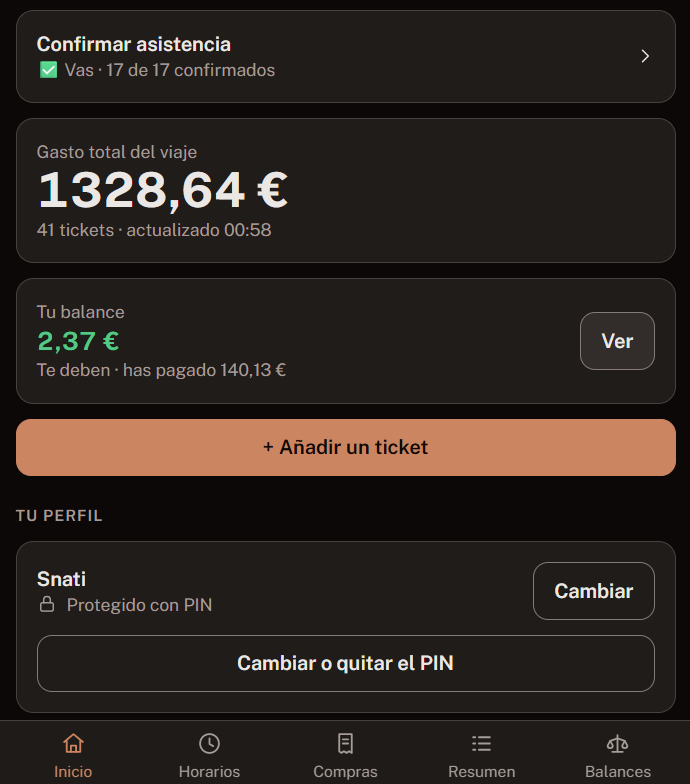
Fig. 12 Trip balance, with example data. - 15 Multimedia diary 2026
A log of books, films, series, video games and papers. No account, no cloud, no connection: everything lives in the browser of whoever uses it. Anybody can use it exactly as it is, and anybody who wants their log to outlive the browser can sync it to a GitHub repository of their own, so the data stays theirs and never becomes mine. It has no build step, so it will still open in ten years.
- 16 Storyteller helper for Blood on the Clocktower 2026
The part existing tools do not cover. Not the grimoire, which is already well solved, but the night: which token goes down, where, in what order, and which characters on your script conflict with each other. Meant to sit open in a second tab while you run the game.
- 17 Narrator helper for The Werewolves of Millers Hollow 2026
A sibling of the Blood on the Clocktower helper, but for a phone and for running the game with the lights down. Its core is the guided night: one screen per step, calling only the characters in play, still alive and still holding their power, in the right order, and recording what gets decided. It then works out the deaths at dawn, runs the day votes, and lets you undo anything. The part that needs the most care is what the night cannot skip: a character who has secretly lost their power is still called, on a step that does nothing, because if the narrator stops naming them the whole table knows. Nor do you need to know who holds which card: deal face down and on the first night each step asks who woke up, and a card is only assigned on its own once there is no doubt left. It also carries the 30 characters with tips for narrating them, how many werewolves to deal for a given number of players, and a FAQ. It has no build step and no dependencies, it works offline, and the rules live in a separate engine covered by tests.
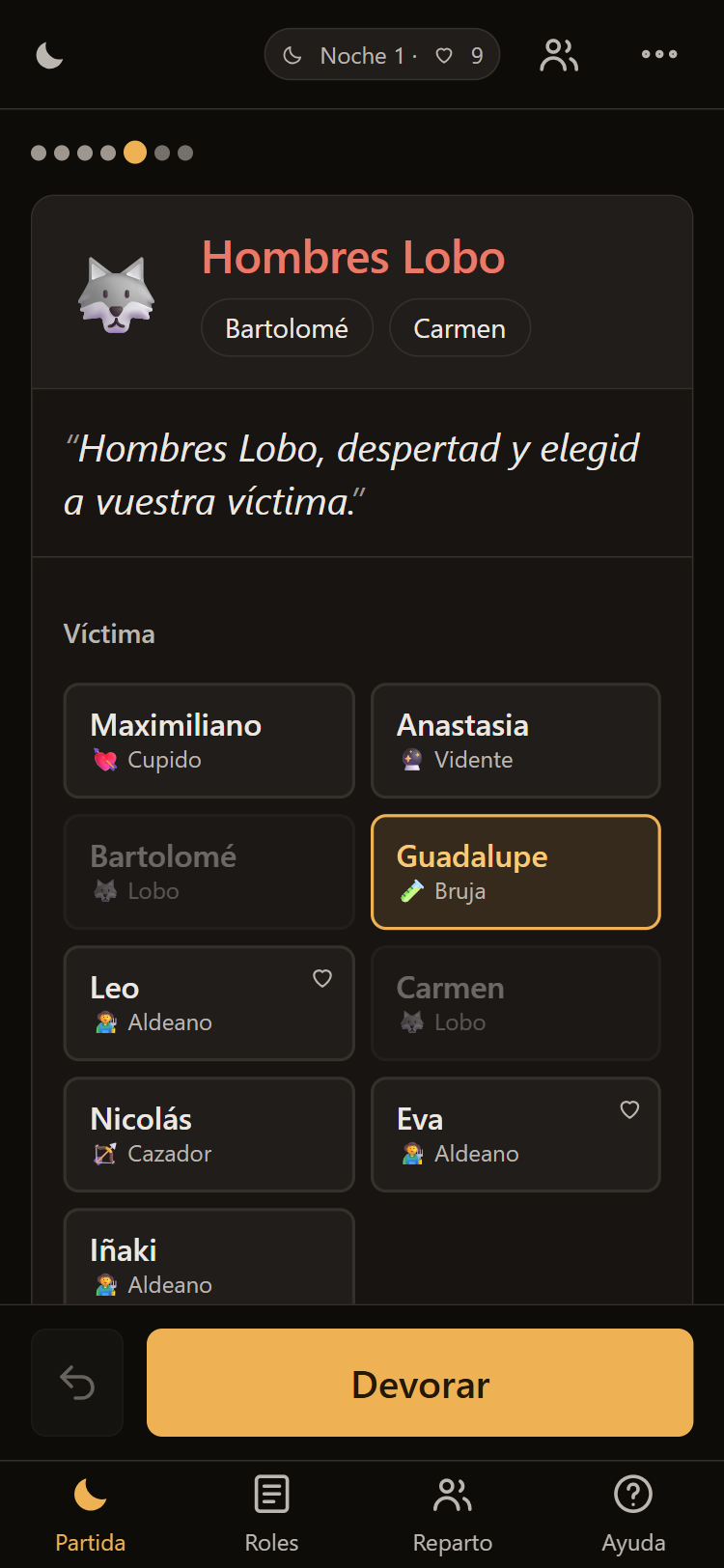
Fig. 13 A step of the guided night, with invented names: the line to say, who wakes up, and the chosen victim. The werewolves are greyed out because they cannot pick one of their own.
Something I know how to do but did not do
The allocation of attendees to talks at the XXVII ENEM (2026, Universidade de Santiago de Compostela) was solved as an integer optimisation problem with Gurobi: maximise everyone’s stated preferences, force every person through the employers’ forum in at least one slot, and pin anybody giving a talk to their own slot. I did not write it. It was explained to me, I know how to state it and how to solve it, and I think it is the right way to attack the problem, which is not the same as having done it.